🎬 Try Kling 4.0 Now

Kling 4.0 AI Video Generator

Create realistic AI videos with Kling 4.0, the newest model from Kling AI. Turn a prompt into a scene with text to video, bring a still to life with image to video, or mix images, clips and voice for full control. Shots run up to 30 seconds in up to 4K, with native audio.

πŸŽ₯ You call the shots β€” keyframes, Omni Reference and lip-synced dialogue

What Is Kling 4.0?

Kling 4.0 (可灡 4.0) is the newest generation of Kling AI's video model from Kuaishou, announced on September 28, 2026. It aims for realistic motion, precise control and complete stories, and it fits the way creators actually work β€” begin with a prompt, an image or your own references. Kling 4.0 Flash, a faster 720p version, is already in early access, and the full model launches in October 2026.

Text to Video

Describe a scene and Kling 4.0 builds it from scratch: characters, motion, camera work and sound in one pass. Native 30-second generation leaves room for a whole story beat β€” setup, turn and payoff β€” without stitching clips together.

Image to Video

Start from a photo, a product shot or a storyboard frame. Add as many as 10 keyframe images to pin down poses, scene changes and story beats, and Kling 4.0 animates the motion between them.

Reference to Video

Omni Reference combines up to 15 inputs in one request β€” images, video clips and elements with voice β€” so faces, products, motion and camera moves stay consistent from shot to shot.

Kling 4.0 AI Use Cases

See how reference-driven AI video works in practice. Each demo shows its inputs, the result and the mode it uses β€” the same workflows Kling 4.0 AI is built for in ads, brand campaigns, e-commerce, short dramas and music videos.

Reference to Video

Creative Templates & Outfit Changes

Recreate fisheye lenses, flash overlays and outfit swaps while the model's face stays the same across every cut. With Omni Reference, a whole lookbook can become one continuous fashion film.
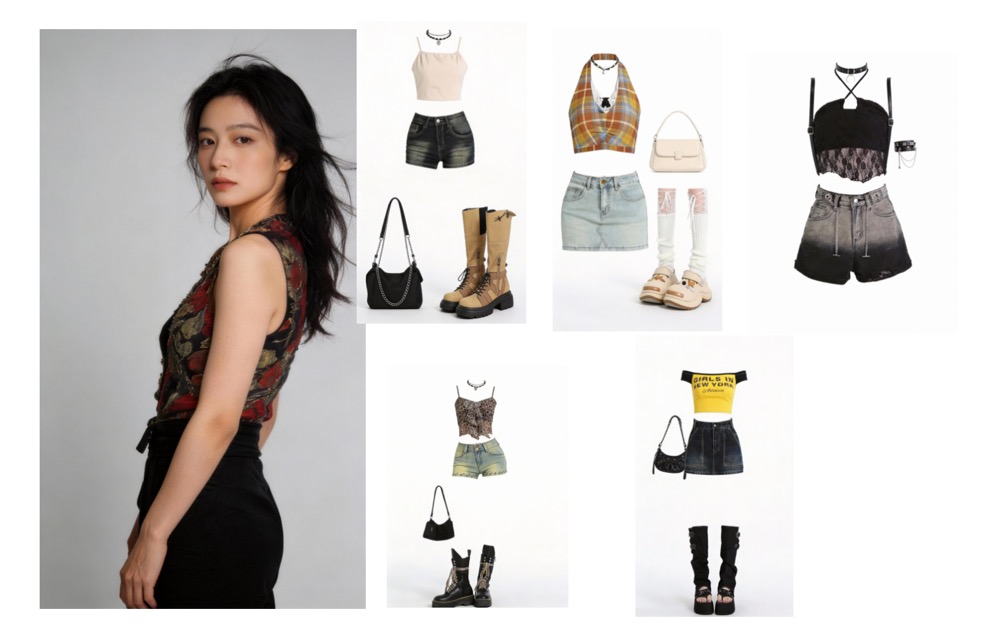
Model reference and outfits

β€œReference the model's face from image 1. The model walks toward the camera wearing the outfits from reference images 2–6, striking playful, cool, cute, surprised and stylish poses. Each outfit change triggers a cut using the fisheye lens and flash overlay from the reference video.”

Reference to Video

Motion & Camera Replication

Take character motion from one video and camera movement from another, then combine them into an epic fight under a starry sky. Because Kling 4.0 reads several reference videos at once, motion and camera can come from separate sources.
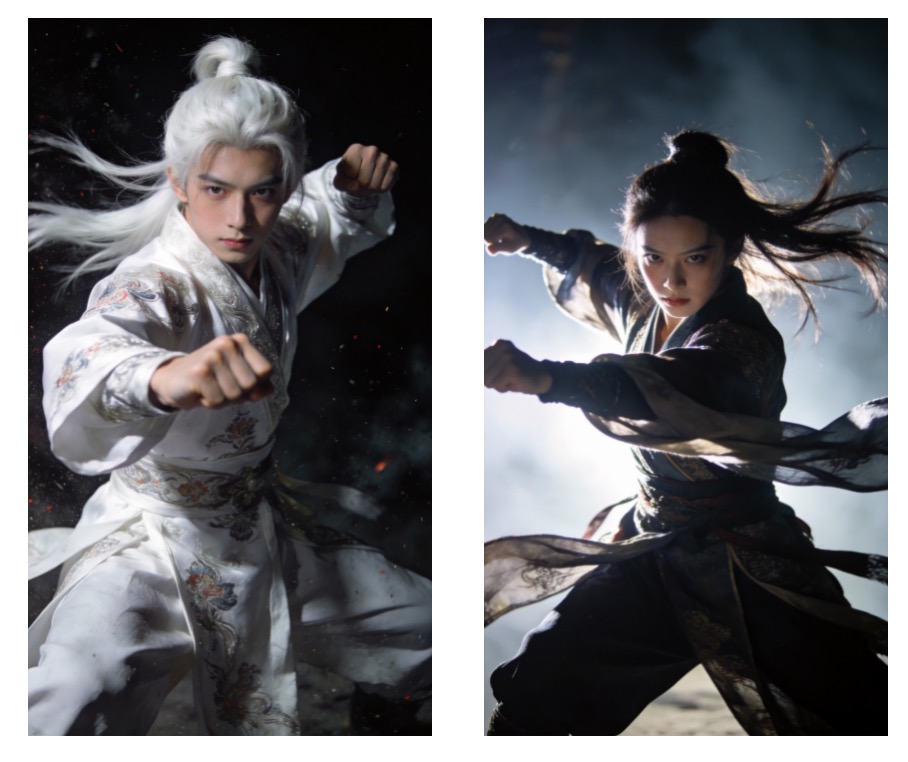
Character reference

β€œReference the character motion from video 1 and the orbiting camera movement from video 2. Generate a fight between character 1 and character 2 under a starry night sky, with white dust rising during the fight. The battle feels spectacular and intense.”

Video Extension

Keep the Story Going

Extend a clip while keeping characters and backgrounds consistent β€” here, a donkey on a motorcycle races through a playful ad. Kling 4.0 can extend video forward or backward from the clip you already have.
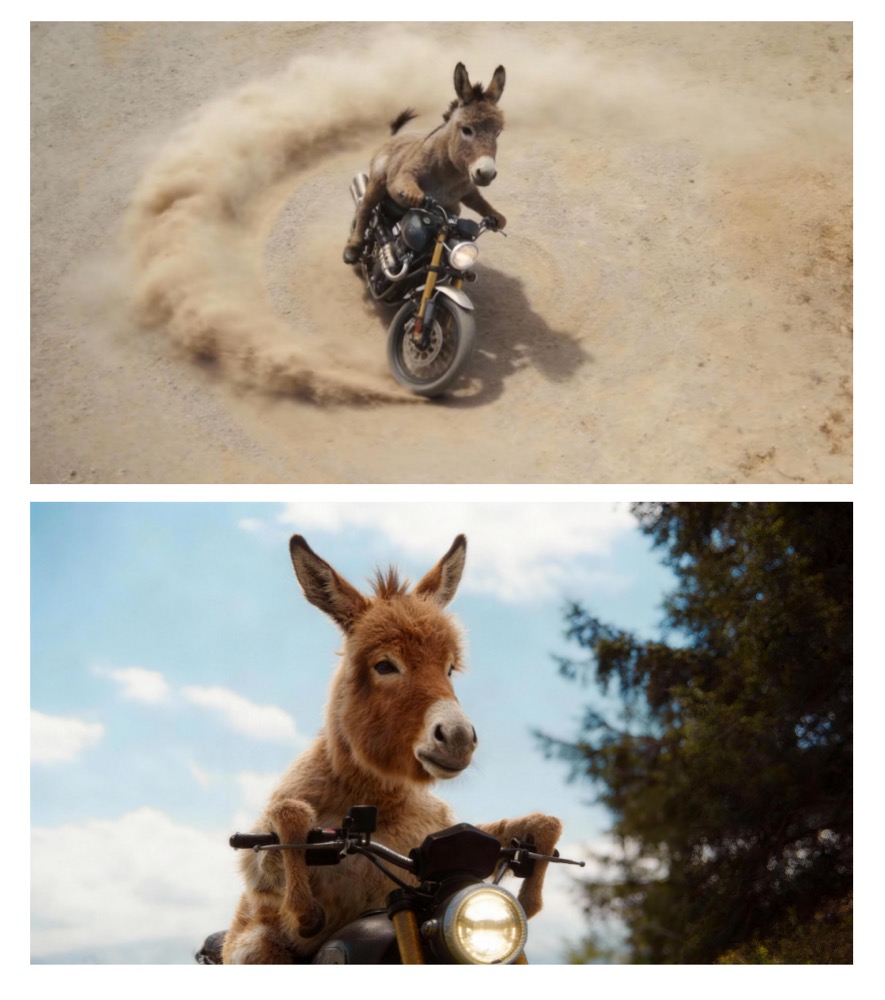
Donkey riding a motorcycle

β€œUsing @image1 and @image2 of the donkey on a motorcycle, extend the video. Scene 1: side shot of the donkey bursting through a fence and startling chickens. Scene 2: the donkey doing motorcycle stunts on sand, tire close-up, then an aerial shot. Scene 3: the donkey jumps against a mountain backdrop and the text "Inspire Creativity, Enrich Life" is revealed through a masking effect.”

Image to Video

Cinematic Audio & Visuals

Start from one storyboard image and use precise cinematography keywords to get music-video quality: golden-hour light, film grain and hero framing. Kling 4.0 accepts prompts of up to 8,000 tokens, so lighting, lens, composition and color can each get their own instructions.
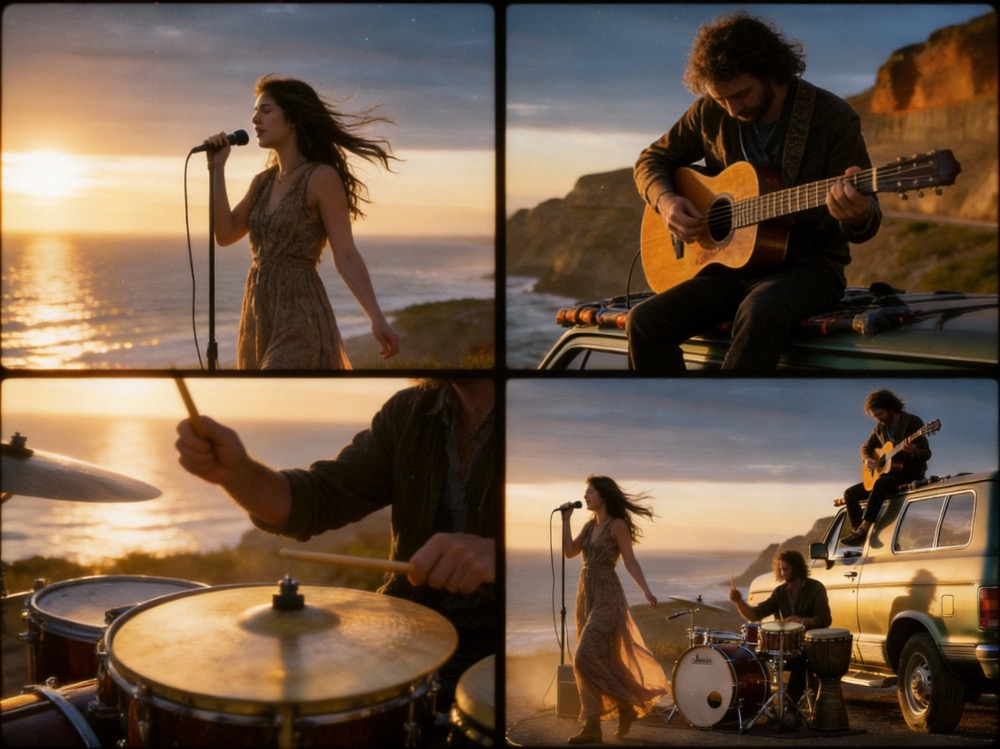
Cinematic scene reference

β€œGenerate a music video. Keywords: stable composition, smooth push-pull, low-angle hero shot, premium documentary feel. Ultra-wide establishing shot tilted slightly upward, a vintage road-trip car on a cliffside dirt road in the lower third, distant sea and horizon for depth, sunset back-side light with volumetric rays through dust, cinematic framing, authentic film grain, clothes moving gently in the wind.”

Video Editing

Character Swap That Keeps the Motion

Replace a character while keeping the original motion intact β€” the band keeps playing while the lead singer changes. Kling 4.0 edits expressions, actions, camera, style or background in an existing video without regenerating the whole clip.
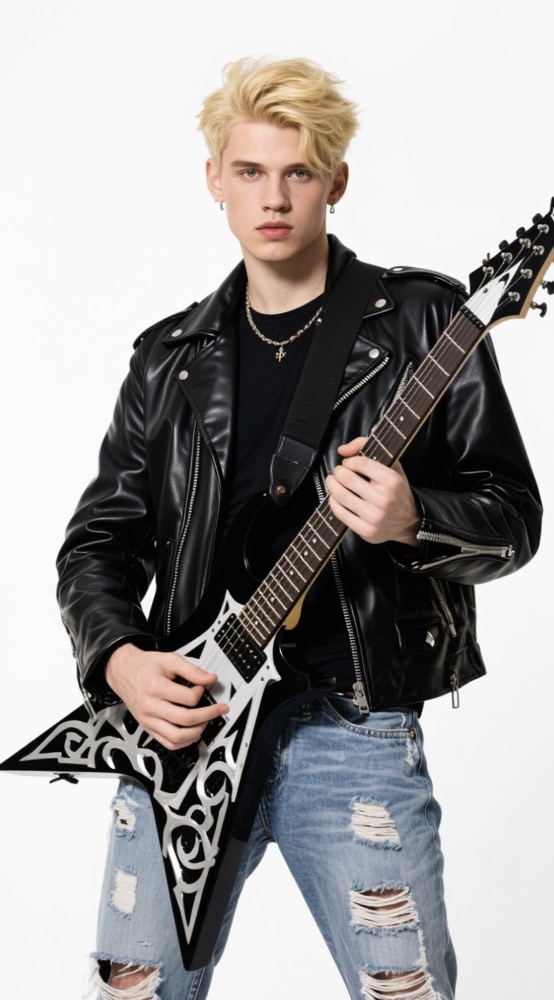
Male singer reference

β€œReplace the female lead singer in video 1 with the male singer from image 1. Motion must match the original video exactly. No camera cuts. The band keeps playing.”

Image to Video

One-Take Long Shot

Build a seamless one-take sequence from several reference images, following a runner from the street up the stairs, through a hallway and onto a rooftop. Each image works like a keyframe, so every location becomes a beat Kling 4.0 hits in order.
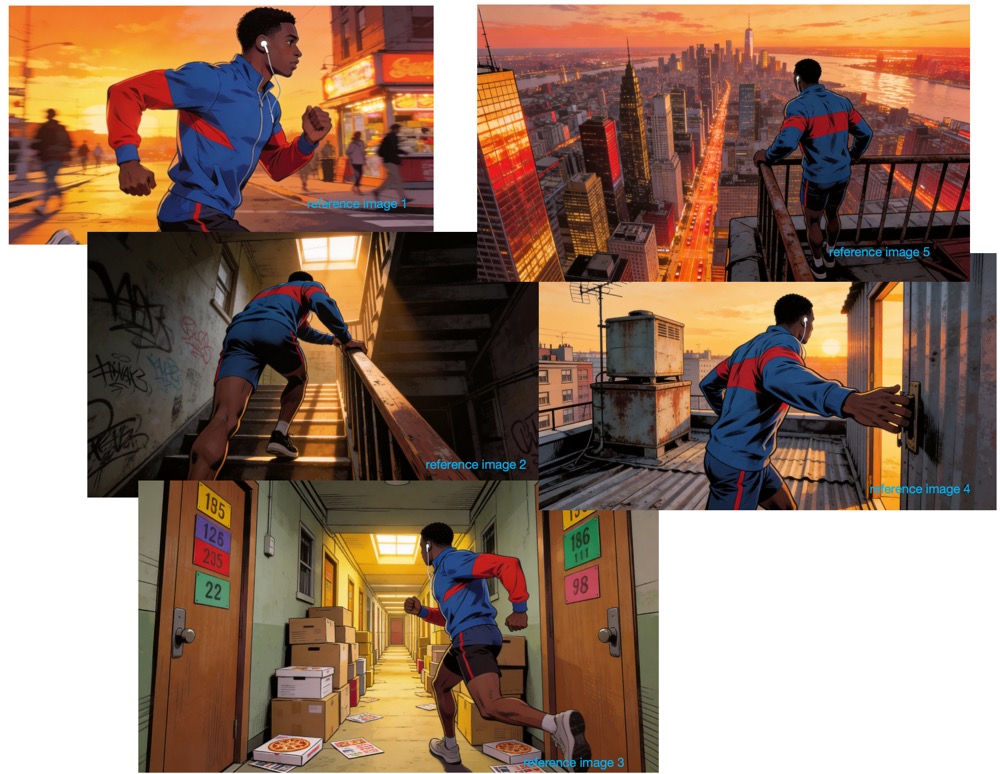
Scene sequence reference

β€œ@image1 @image2 @image3 @image4 @image5, one-take tracking shot following a runner from the street, up the stairs, through a hallway and onto the rooftop, ending on a view of the city.”

Reference to Video

Creative Story Completion

Give the model a few images and a soundtrack and let it complete an emotional story. Sound is generated together with the picture, so the music and the edit land on the same beat.
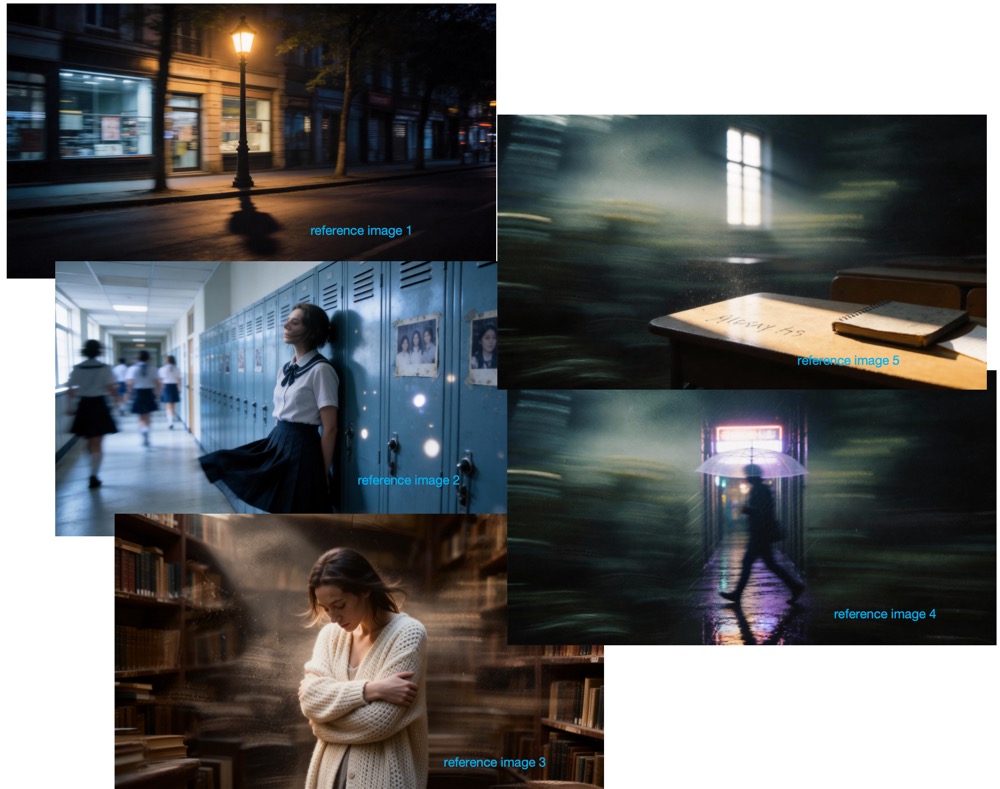
Story inspiration images

β€œUse the audio from video 1 to create an emotional video inspired by images 1–5. Reference @video1 for the background music.”

Create a Kling 4.0 AI Video in 3 Steps

Whether you start from text, a single image or a stack of references, the Kling 4.0 AI workflow stays the same.

1

Choose How to Start

Use text to video when all you have is an idea, image to video when you have a still or keyframes to animate, and reference to video when you want to combine photos, video clips and a voice sample.

2

Write the Prompt

Describe the scene, then use @ mentions to tell the model what each asset is for β€” for example "use @image1 as the character and @video1 for the camera move".

3

Generate & Refine

Choose the length and aspect ratio, then generate. Extend the clip or edit specific details instead of starting over.

Kling 4.0 Key Features

Everything new in Kling 4.0, from longer shots and keyframe control to video editing and multilingual audio.

30-Second Shots

Generate 3–30 seconds in a single pass (Flash: 3–20 seconds) β€” long enough for a full narrative beat without stitching.

Multi-Keyframe Control

Lock character states, scene changes and story points with as many as 10 keyframe images.

Omni Reference

Blend images, video clips and voice-enabled elements β€” 15 references in total β€” for consistent characters and products.

Video Extension

Continue an existing clip forward or backward while motion and backgrounds stay consistent.

Targeted Video Editing

Adjust a performance, a camera move, the look or the backdrop in footage you already have β€” no full regeneration needed.

Stereo Audio & Lip Sync

Two-channel sound generated together with the picture, with tighter lip sync for dialogue.

Sharper On-Screen Text

Clearer, more stable text rendering in Chinese, English, Japanese, Korean and more β€” emoji included.

4K & 10-bit HDR

Render at 720p, 1080p or 4K, with 10-bit HDR on the way for 1080p and 4K.

Creative Remix

Follow the rhythm and composition of a reference video, then swap in your own character or product.

What People Are Saying About Kling 4.0 on X

The most-viewed Kling 4.0 posts on X since the September 28, 2026 announcement β€” official news and early tests from creators. Quotes are excerpts; non-English posts are translated.

Kling AI@Kling_ai

Announcement

Kling 4.0 is coming this October. Kling 4.0 Flash is live now for Ultra Yearly subscribers. Kling 4.0 brings video creation to a new level of visual realism, creative control, and narrative completeness.

199K1,570

Kling AI@Kling_ai

Launch film

The wait is over. The rhythm is back. THE BEAT, created with Kling 4.0, follows a drummer’s journey back to the stage.

291K855

Min Choi@minchoi

AI creator

This is 100% AI. One prompt. No cuts. Kling 4.0 realism is insane.

41K195

Ozan Sihay@ozansihay

Creator

Look what came out of the video I made with text-to-video in Kling 4.0 πŸ˜… No TV show or actor name appears anywhere in the prompt.

40K218

Simon Meyer@simonmeyer_

Music video director Β· sponsored by Kling AI

What stood out to me most wasn’t just the image quality, but its ability for lipsyncing! Shaky handheld camera actually felt shaky. The anamorphic lens look came through.

9.7K142

Riccardo Wolf@WolfRiccardo

AI filmmaker

Two characters, continuous acting, emotional dialogue, natural motion, and a convincing British accent all held together across the full shot. And this is only the Flash model.

2K31

Umesh@umesh_ai

AI creator

Got early access to Kling 4.0 Flash! One of my first tries. Prompt understanding is awesome.

10K198

とうや@towya_aillust

AI illustrator

Kling 4.0 is amazing! It blends multiple references well, action scenes and camera work are stronger, Japanese got better, and it generates 30 seconds at once β€” I made a 4-minute video in no time.

7.6K131

γ‚γŽ@agi_aibusi

AI creator

For photoreal video Kling is a head above the rest. A 5-second clip cost under Β₯50 β€” about 1/5 of Seedance 2.5 β€” and generation is blazing fast. If Flash looks this good, the full 4.0 will be something.

8K73

fal@fal

Generative media platform

The next generation brings major upgrades in visual realism, creative control, narrative coherence, audiovisual quality, multi-keyframes, lip sync and more.

16K162

Sharon Riley@Just_sharon7

Creator Β· paid partnership

Kling 4.0’s β€˜THE BEAT’ is next-level – that drummer’s journey and vibrant visuals are unreal. AI filmmaking just hit another gear.

17K114

DreamsHorizon@DreamsHor1zon

AI artist

Here’s my first test with Kling 4.0 Flash. Thanks Chibi Mimic for volunteering 😁

2.2K210

Kling 4.0 AI FAQ

Answers to the most common questions about Kling 4.0 and Kling 4.0 Flash.

What is Kling 4.0?

Kling 4.0 is the latest video generation model from Kling AI, part of Kuaishou. It was announced on September 28, 2026 and focuses on realism, controllability and professional quality: 30-second shots, output up to 4K, keyframe control, Omni Reference, native audio with better lip sync, and video editing.


Does Kling 4.0 support text to video and image to video?

Yes. Describe a scene and Kling 4.0 generates it from scratch with text to video, or start from one or more images β€” including keyframes β€” and it animates them with image to video. Video clips and voice samples can join them as references in the same request.


When is the Kling 4.0 release date?

Kling AI says the full Kling 4.0 model launches in October 2026. Kling 4.0 Flash has been available in early access since September 28, 2026 for a limited group of users, starting with Ultra Yearly subscribers.


What is the difference between Kling 4.0 and Kling 4.0 Flash?

Kling 4.0 generates 3–30 seconds at 720p, 1080p or 4K, supports 21:9, 16:9, 1:1, 9:16 and Auto aspect ratios, up to 10 keyframes, up to 15 Omni References and prompts of up to 8,000 tokens, with 10-bit HDR coming. Kling 4.0 Flash is the faster, lighter version: 3–20 seconds at 720p in 8-bit SDR, with basic aspect ratios and limited keyframe support. Early testers report Flash is quick and inexpensive.


What is Omni Reference in Kling 4.0?

Omni Reference lets you mix up to 15 references in one generation: up to 10 images, up to 5 videos totaling 30 seconds or less, and up to 7 elements, which can include voice references. It keeps characters, products, motion and camera work consistent, and also accepts clay-render or depth-map videos as motion references.


Can Kling 4.0 edit an existing video?

Yes. Kling 4.0 accepts up to 5 input videos (including one main video) and can make targeted changes to expressions, actions, camera movement, style or background without regenerating the whole clip. It also supports creative remixing β€” following a reference video's rhythm and composition while swapping in your own character or product.


Which languages does Kling 4.0 support for speech?

Kling 4.0 supports Chinese, English, Japanese, Korean, Spanish, Portuguese, German, French, Indonesian and more, with German, French and Indonesian newly added. It also handles accents and dialects such as American, British and Indian English, and Beijing, Taiwanese, Northeastern, Sichuan and Cantonese Chinese.


Is kling4.run the official Kling AI website?

No. kling4.run is an independent AI video service, not affiliated with or endorsed by Kuaishou or Kling AI. Kling AI's own website is kling.ai.


Can't find what you need? Contact our support team.

Start Creating with Kling 4.0 AI

Write a prompt or upload a still, and get a finished clip with sound in a few clicks.